On this page
The problem
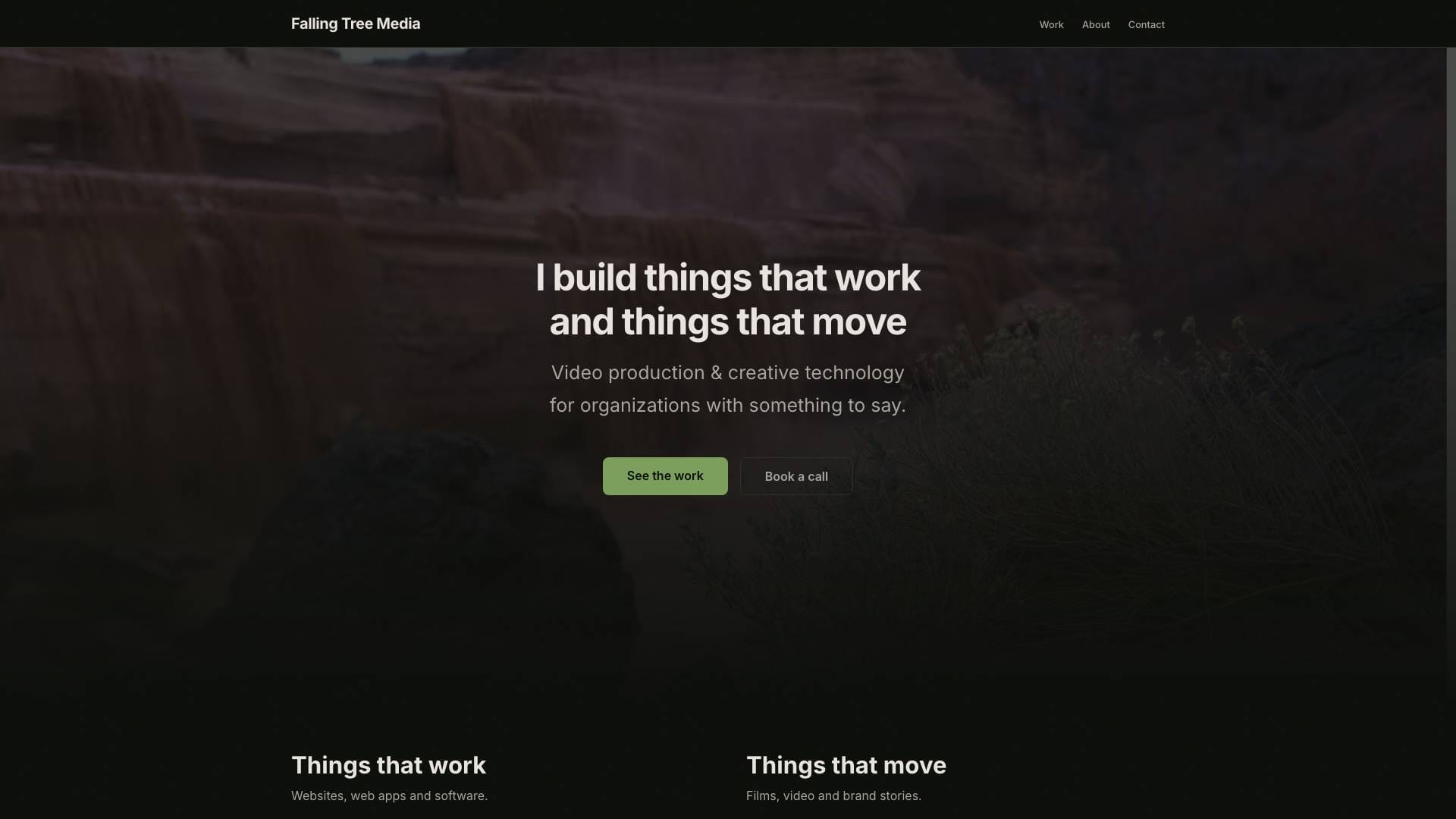
I needed a portfolio that is itself the portfolio piece: the kind of site that makes a prospect think “I want whoever built this to build mine.” Nature meets tech, with a dark base that makes video and photography pop, my own photography as the site’s skin, and fast enough to feel like static HTML.
I also had a lot of content already: a project catalog, a folder of drafts, a YouTube video map and an old WordPress site. The site had to take all of that in without me retyping it, and stay easy to edit after launch.
What I built
Astro. Astro ships zero JavaScript by default, so pages are plain HTML. The few interactive parts (the filterable work grid, the gallery lightbox with keyboard navigation, the phone menu) are small scripts on the components that need them. For a portfolio I didn’t need SSR, API routes or server components, so Next.js would have been overkill.
Content collections. Every project is an MDX file in src/content/projects/, with typed frontmatter checked by a Zod schema: title, client, dates, categories, tier, hero, gallery, testimonial, videos and, for software work like this one, stack and role. The catalog and drafts were converted straight into these files (66 entries at first, 13 more when I pulled the remaining WordPress posts over), and the old WordPress permalinks redirect to their new pages.
Keystatic sits on top of the same files and gives me a browser admin at /keystatic. No database, no separate CMS: it’s a UI for the git repo.
Generated share images. Every page and every project gets its own Open Graph image, rendered at build time from the title and client. When a project doesn’t have a thumbnail yet, the site falls back to that generated card on the work grid, the case study hero and the previous/next links, so nothing ever shows a broken image.
Textures from my own photos. A script processes my Lightroom exports into responsive WebP, AVIF and JPG, and they show up as section backgrounds, dividers and the hero.
Testing it like a visitor
The part I’m proudest of is the product harness: tests/product/run.sh. It builds the site, serves it locally, and drives a headless browser through every page the way a visitor would. It:
- crawls every internal link, image and redirect target and flags anything broken or missing
- weighs each page on a phone, before and after scrolling, against a 1 MB budget
- screenshots every page at six sizes, from a 360 px phone to a 1920 px desktop, and flags anything cut off, overlapping, unreadable or scrolling sideways
- clicks through the phone menu to the contact form and fills it in
- checks the call to action is never more than a scroll away
- fails the run when a texture the site uses isn’t committed to git, or when site-wide CSS stops applying
Every screenshot on this page came from that harness.
The result
The harness turns “does it look right?” into a report I can act on. Its first runs found 21 missing files and 3 pages with broken images on a clean checkout, from texture folders that were never committed. That went to zero. It caught the site-wide stylesheet being scoped by Astro so the reset never applied, and it drove a round of image recompression: the four featured thumbnails went from 590 KB to 383 KB, and the median page now loads 0.72 MB on a phone.
Let's work together
Have a project in mind? I'd like to hear about it.
Get in touch

